

Post Production
CLOSED-CAPTIONING & BROADCAST-READY VIDEO SERVICES
Make your music videos airplay-ready with our professional post-production services. We specialize in closed captioning, compliance, and seamless delivery to broadcasters like MTV, ensuring your work meets every requirement.

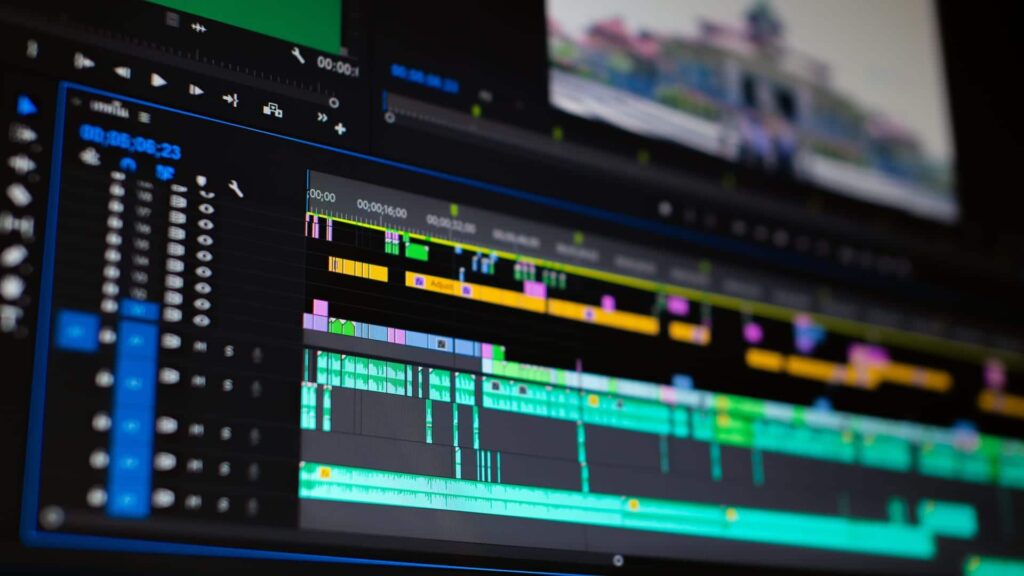

Ensure Broadcast Perfection
Every video uploaded to the Yangaroo Music platform undergoes a thorough quality control (QC) check by our expert video technicians. We verify that your content meets all technical requirements for TV broadcast. You'll receive confirmation that your video is broadcast-ready or outlining any adjustments needed. Deliver with confidence, knowing your video will shine on screen.
Closed Captioning Made Simple
Skip the hassle of reuploads, file transfers, and potential QC issues with Yangaroo’s built-in closed-captioning services. We use the video you’ve already uploaded, add professional broadcast captions, and prepare it for seamless delivery to broadcasters.


Your Formatting Solution for Broadcast-Ready Videos
Navigating broadcast specs can be tricky, but we’re here to help. From codecs to aspect ratios and everything in between, we’ll reformat your music video for flawless TV delivery—using the file you’ve already uploaded. Leave the hard part to us.
Content Editing for Broadcast Compliance
Broadcast TV has specific content standards, but that doesn’t mean explicit videos are off-limits. Often, edits—like creating a clean version of a song—are all that’s needed. Networks like BET and MTV may even provide a list of required changes, and we’re here to apply those edits to get your video ready for airplay.


Simple and Accurate Video Slating
If you’re unsure about how to slate your video or even what a slate is, we’re here to help. We’ve been adding slates to broadcast music videos for over a decade, so you can count on us to get it right.
Preparing Your Broadcast Quality Master
The following guidelines will help you prepare a broadcast-quality master for upload to the Yangaroo platform. Once uploaded, this high-quality format will be transcoded to suit a wide range of other formats, including those needed for previews, presentations, and online distribution.
NTSC HD Music Video Broadcast Specifications
Master Video Composition
| 5 Second Slate | 2 Seconds of Black | Video Content |
|---|---|---|
Master Video Specifications
| HD VIDEO | |
|---|---|
| CODEC’s | XDCAM HD422 MPEG-2 MXF ProRes 422 H.264 |
| VIDEO BIT RATE | 50 Mbits/s* |
| *ProRes is exempt from bit rate specifications | |
| FRAME RATE | 23.976 / 29.97 / 59.94 |
| DROPFRAME | YES |
| ASPECT RATIO | 16:9 |
| WIDTH/HEIGHT | 1920 x 1080 |
| CHROMA | 4:2:2 |
| INTERLACTING | 1080i (Upper field first) 1080p (Progressive) |
| AUDIO TYPE | PCM Audio/SMPTE 302M |
| SAMPLE RATE | 48kHz |
| AUDIO BIT DEPTH | 16,24 |
| PRE & POST ROLL (3 MIN VIDEO EXAMPLE) | ||
|---|---|---|
| SLATE | 5 SECS | 00:00:00:00 – 00:00:04.29 |
| BLACK | 2 SECS | 00:00:05:00 – 00:00:06.29 |
| MV | 3 MIN | 00:00:07.00 – 00:03:37.00 |
| VISION & AUDIO | ||
|---|---|---|
| 1. NO bars & tone. 2. NO variable frame rates. 3. NO variable bit rates (VBR). 4. NO anamorphic videos (SD). 5. NO lower/bottom field dominance (HD). 6. HD VIDEO to be submitted “center-cut-safe” as some destinations require it. 7. NO mono audio files (watch audio output settings). 8. Max peak audio no greater than -2 dBFS. | ||
| STEREO AUDIO | 5.1 SURROUND AUDIO |
|---|---|
| Channel 1 – Stereo Left | Channel 1 – Left Front |
| Channel 2 – Stereo Right | Channel 2 – Right Front |
| Channel 3 – Mute | Channel 3 – Center |
| Channel 4 – Mute | Channel 4 – Low Frequency Effects |
| Channel 5 – Mute | Channel 5 – Left Surround |
| Channel 6 – Mute | Channel 6 – Right Surround |
| Channel 7 – Mute | Channel 7 – Stereo Left |
| Channel 8 – Mute | Channel 8 – Stereo Right |
Closed-Captioning
What is closed-captioning?
Do I need to closed-caption my video?
All spots and music videos MUST be closed captioned for US and Canadian broadcasters. The FCC requires English and Spanish programming seen on broadcast TV in the United States to be captioned. The CRTC requires the same for Canadian broadcasting.
Closed-caption requirements
SD: CEA-608 (Line 21) or DTV-608 (QuickTime close caption track) required. HD: CEA-608 or DTV-608 required. CEA-708 and DTV-708 are optional. Captions need to be the last step in creating/submitting a final master, as you cannot edit a video once captions have been applied or they will be lost.
Need help with closed-captioning?